
Whirlpool WRX735SDBM (WHWRX735SDBM04) — Troubleshooting & Repair Guide
Need the replacement part? Search your model number at for guaranteed fit and fast free shipping.
Understanding the Problem
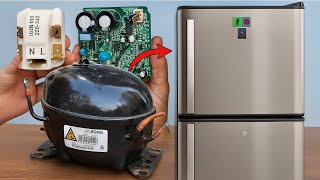
This guide covers the most common problems on the Whirlpool WRX735SDBM (sometimes listed with a prefix like WHWRX735SDBM04): poor cooling (fridge warm, freezer cold or both warm), ice maker/water dispenser failures, frost buildup, and abnormal noise. Below are prioritized diagnostics and practical repair steps you can follow. 1) Start with basic checks (5–10 minutes) a. Confirm temperature settings: refrigerator 37°F (3°C), freezer 0°F (-18°C). Adjust and wait 24 hours for stable temps. b. Check door seals/gaskets for gaps, damage, or debris. Press a thin sheet of paper between seal and cabinet at multiple points — it should grip. c. Inspect condenser coils (under/behind fridge). If dusty/covered, unplug and clean with a brush/vacuum — restricted airflow reduces cooling performance. 2) If freezer is cold but refrigerator compartment is warm (common symptom) a. Check the evaporator fan (inside freezer): open the freezer door, put the fridge into diagnostic service mode (see owner manual) or listen when compressor runs — if no airflow or you hear the fan humming but not spinning, the evaporator fan motor or blade may be faulty. b. Inspect the air damper/damper control (between freezer and fridge). Make sure it is opening when fridge calls for cold air. If damper stuck closed or actuator failed, the fridge won’t get cold air. c. Verify the evaporator is not iced over. Heavy frost on evaporator (visible with interior panels removed) indicates a failed defrost system (defrost heater, defrost thermostat/thermistor, or control board). If iced, perform a manual defrost (power off, let ice melt) and then test defrost components. 3) If both compartments are not cooling a. Listen for the compressor and look at the condenser fan: compressor should run (firm humming) and condenser fan, if present, should spin. If compressor tries to start and clicks off, suspect a bad start relay/capacitor or compressor failure. b. Test the start relay and overload with a multimeter (unplug fridge first). A failed start device often causes clicking and no sustained compressor run. c. If compressor never runs and start relay tests good, the compressor or control board may be failing — this is a professional-level repair. 4) Ice maker not producing or water dispenser problems a. Confirm the water supply is on at the valve behind the refrigerator and the supply tube is not frozen or kinked. b. Replace the water filter if older than 6 months or clogged — a clogged filter reduces flow or stops the dispenser/ice maker. (Common filter: EveryDrop EDR1RXD1 — verify for your unit.) c. Check the water inlet valve solenoid for continuity and visually for leaks. If the valve doesn’t open when the dispenser or ice maker calls, replace the valve. d. Test the ice maker: put it into the ice-maker test mode (see tech sheet/owner manual) to cycle and check fill. If motor/harvester or fill valve fails, replace the ice maker assembly or the inlet valve. 5) Frost or ice buildup in freezer or fridge a. Frost on the evaporator indicates defrost system failure. Test continuity of defrost heater and defrost thermostat/thermistor with a multimeter. If open, replace the failed component(s). b. Check defrost timer or control board (electronic control) for proper defrost cycling. Boards can fail to initiate defrosts and will require replacement. 6) Noisy operation (buzzing, rattling, grinding) a. Identify noise source: condenser fan (behind kickplate) or evaporator fan (inside freezer) are common. Remove panels and run the unit to isolate noise — worn bearings or debris cause noise and require fan replacement. b. Compressor rattles are more serious; secure mounting or failed motor bearings may cause noise — consult a technician. 7) Electrical and control issues a. Verify the refrigerator is plugged into a grounded outlet and the outlet is supplying correct voltage. Avoid power strips or extension cords. b. If displays or lights are unresponsive, check the main control board/PCB and user interface board for burn marks or failed components; swap with a verified working board only if you are comfortable with electronic diagnostics. Replacement/repair steps (general guidance) - Always unplug the refrigerator and turn off water supply before starting any repair. - Remove necessary interior panels (use Torx/Phillips as needed) to access evaporator, ice maker, or fan motors. Take photos during disassembly to aid reassembly. - To replace a fan motor: remove mounting screws, disconnect wiring harness (note connector orientation), replace motor and reassemble. Test operation before reinstalling panels. - To replace an ice maker or inlet valve: shut off water, remove ice bin/cover, unclip ice maker harness, remove mounting screws, disconnect water line at valve, install new part, reconnect water, and test for fill and leaks. - To test defrost heater or thermostat: access evaporator housing, disconnect heater leads, check continuity. Replace failed components and reassemble. Safety note: Always disconnect power and water supply before attempting repairs. Use insulated tools and a multimeter rated for household voltages. If you are not comfortable working with sealed system components (compressor, refrigerant, sealed tubing), call a certified appliance/refrigeration technician.
Common Symptoms
Fridge warm while freezer is cold; both compartments not cooling; ice maker won't fill or dispense; weak/no water flow at dispenser; frost buildup in freezer; loud humming or rattling noises.
Common Causes
- Restricted airflow or dirty condenser coils / failed condenser fan
- Failed evaporator fan, damper control, or defrost system causing frost/airflow loss
- Faulty water inlet valve or clogged water filter causing no water/ice
- Bad start relay, capacitor, compressor, or control board preventing the compressor from running
Popular Parts That Fix This Problem
These are the most common replacement parts that fix this problem. When you're ready to order, click below to find the right part at ProsourceParts.com — just search by your appliance model number for a guaranteed fit.

Helpful Repair Tip
To confirm an evaporator or condenser fan is bad: remove the access panel, run the refrigerator, and listen — if the fan doesn't spin but has power at the connector (test with a multimeter or quick probe), replace the fan motor. If it has no power, trace the wiring to the control board/thermistor.
Frequently Asked Questions
My freezer is cold but the refrigerator compartment is warm. Is it an expensive repair?
Not always. Start with inexpensive checks: clean condenser coils, inspect door gaskets, and confirm the damper is opening. Often the problem is a failed evaporator fan or a stuck damper — those parts are relatively inexpensive and straightforward to replace. If the evaporator is iced over, you may have a defrost-system issue which can require replacing the heater or thermostat. If the compressor or sealed system is failing, costs rise and a professional is required.
How do I find the exact replacement part number for my WHWRX735SDBM04 unit?
Locate the model and serial tag (usually inside the refrigerator compartment on the wall or ceiling, or behind a kickplate). Use that exact model/serial on Whirlpool's official parts site or a reputable parts dealer to look up OEM part numbers. Many parts vary by production date and configuration, so always confirm with the tag information before ordering.
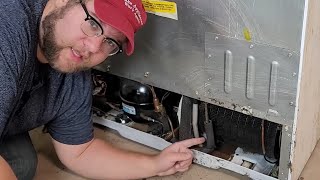
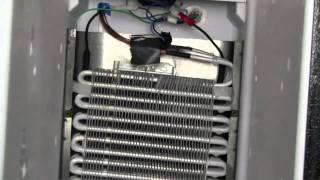
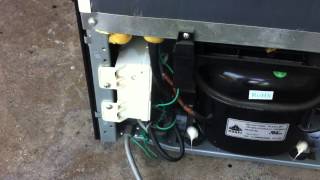
Related How-To Videos

Real DIY Repair Stories
Be the first to share your repair story!
Share Your Repair Story
Your experience helps other homeowners fix their appliances. Tell us how it went!
Can't Fix It Yourself? Find a Local Technician
It's perfectly okay to call a professional. Some repairs require specialized tools, deep teardowns, or dealing with complex systems that are better left to the pros.

Find the Right Part for Your Appliance
Don't guess — search your exact appliance model number at ProsourceParts.com to find the correct OEM compatible replacement part. They offer fast free shipping, guaranteed fit, and thousands of parts in stock.
Your Free Parts Videos
Whether your dishwasher won't drain, your dryer stopped heating, or your fridge isn't cold, we've created simple repair guides for the most common appliance problems homeowners face. Each guide explains what's going wrong, the most likely causes, and which replacement parts fix the issue. When you're ready to order, we link directly to ProsourceParts.com where you can search by model number and get the right part shipped fast.