
Side-by-Side Refrigerator Not Cooling — Display Shows 'H' — What to Check and Which Parts Fix It
Need the replacement part? Search your model number at for guaranteed fit and fast free shipping.
Understanding the Problem
When a side-by-side refrigerator shows an 'H' on the control/display and the unit is not cooling properly, the 'H' is most commonly a high-temperature alarm or a status indicator that the compartment temperature has risen above the safe range. This can happen after a power outage, if the door has been left open, or when a cooling system component fails (fans, defrost, compressor or sensors). The display warning is the fridge's way of telling you it can't maintain the set temperature. Diagnosing the cause requires a few quick checks: confirm actual interior temperatures with a thermometer, listen for the compressor and fans, inspect condenser coils and vents for dust/obstructions, and look for frost buildup on the evaporator (behind the rear freezer panel). The 'H' code itself is not a specific part failure — it's a symptom — so focus on what caused the temperature increase. If basic airflow and door problems are ruled out, the likely culprits are a failed evaporator fan, defrost failure (leading to iced coils), a bad thermistor/temperature sensor, or a sealed-system/compressor issue.
Common Symptoms
Control panel shows 'H' or a high-temp warning, fridge and/or freezer warmer than set, frost/ice on the back freezer panel, reduced or no airflow between freezer and fridge, unusual noises or no compressor/fan operation.
Common Causes
- High-temperature alarm after a power outage or door left open
- Restricted airflow — dirty condenser coils, blocked vents or poor interior loading
- Evaporator fan motor failure or blocked fan (no circulation over evaporator)
- Defrost system failure (defrost heater, timer or control) causing evaporator to ice over
- Faulty thermistor/temperature sensor or main control board misreading temps
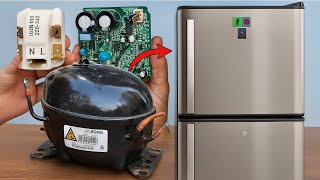
- Compressor, start relay, or sealed system failure reducing cooling capacity
Popular Parts That Fix This Problem
These are the most common replacement parts that fix this problem. When you're ready to order, click below to find the right part at ProsourceParts.com — just search by your appliance model number for a guaranteed fit.

Helpful Repair Tip
Put a thermometer in the freezer and fresh-food sections, then open/close doors and watch whether temperatures change and if the compressor and fans run. If the compressor runs but the evaporator is iced over or fans aren’t spinning, suspect defrost system or fan failures; if nothing runs, check the start relay and control board.
Frequently Asked Questions
What does the 'H' on my refrigerator display mean?
Most manufacturers use 'H' (or 'Hi') on the panel to indicate a high-temperature condition — the fridge or freezer has risen above the safe set point. It is a warning, not a specific failed part. Check the owner's manual for your brand/model to confirm the exact meaning and any model-specific codes.
Can I fix a 'H' high-temperature alarm myself?
You can perform simple checks yourself: verify temperatures with a thermometer, ensure doors seal and close properly, clean condenser coils, remove any vent obstructions, and listen for the compressor and fans. If the evaporator is iced over or fans aren’t running, or if the compressor doesn’t start, you’ll likely need replacement parts or a trained technician. Always unplug the fridge before accessing electrical components and consult the service manual or a pro for sealed-system or compressor repairs.
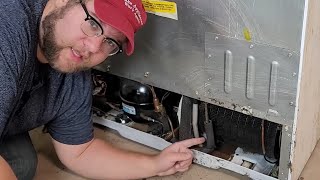
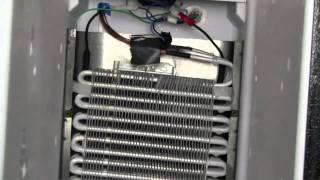
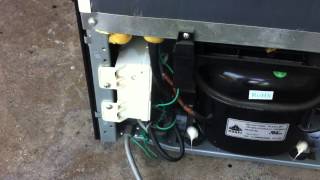
Related How-To Videos

Real DIY Repair Stories
Be the first to share your repair story!
Share Your Repair Story
Your experience helps other homeowners fix their appliances. Tell us how it went!
Can't Fix It Yourself? Find a Local Technician
It's perfectly okay to call a professional. Some repairs require specialized tools, deep teardowns, or dealing with complex systems that are better left to the pros.

Find the Right Part for Your Appliance
Don't guess — search your exact appliance model number at ProsourceParts.com to find the correct OEM compatible replacement part. They offer fast free shipping, guaranteed fit, and thousands of parts in stock.
Your Free Parts Videos
Whether your dishwasher won't drain, your dryer stopped heating, or your fridge isn't cold, we've created simple repair guides for the most common appliance problems homeowners face. Each guide explains what's going wrong, the most likely causes, and which replacement parts fix the issue. When you're ready to order, we link directly to ProsourceParts.com where you can search by model number and get the right part shipped fast.