
Samsung RF28R7351SRAA-00 Refrigerator – Common Problems and How to Fix Them
Need the replacement part? Search your model number at for guaranteed fit and fast free shipping.
Understanding the Problem
This guide covers the most common problems owners see with the Samsung RF28R7351SRAA-00 (family-hub style 28 cu ft models): fridge or freezer not cooling, intermittent cooling, ice maker or dispenser failures, leaks, unusual noises, and control/display problems. Below are prioritized diagnostic checks and step-by-step repair actions for each common symptom. 1) Refrigerator or Freezer Not Cooling / Temperature Fluctuations 1. Verify basic settings: confirm temperature is set to recommended: refrigerator 37°F (3°C), freezer 0°F (-18°C). Check for "Vacation" or "Power Cool/Power Freeze" modes that might be active. 2. Check airflow: ensure nothing is blocking interior vents in fridge or freezer. Remove items obstructing vent paths. 3. Inspect condenser coils: unplug refrigerator, pull out and vacuum/brush condenser coils and surrounding area. Dirty coils reduce cooling capacity. 4. Check condenser fan motor (rear, near compressor): with power ON and door closed, listen for fan. If fan does not run, unplug and test fan motor for continuity; replace if open or noisy. 5. Check evaporator fan (inside freezer): open freezer and set to a low temp; when compressor runs, evaporator fan should run. If fan fails, replace. 6. Verify compressor run: with unit on, listen for compressor hum. If compressor is very hot and not running, check start relay and overload on the compressor. Replace start relay if it clicks but compressor won't run. 7. Test defrost system if freezer is frosting up and restricting airflow: check defrost heater, defrost thermostat (NTC), and defrost control (or main board) for continuity and function. If defrost fails, replace the failed component (heater, thermostat or board). 8. Check temperature sensors/thermistors: use a multimeter to check resistance against specs (typically printed in tech sheet). Replace if out of expected range. 9. If all fans, relays, and sensors are good but still no cooling, call a certified tech to check refrigerant charge and compressor condition (sealed system service). 2) Ice Maker Not Making Ice or Producing Small/Bad Ice 1. Confirm ice maker is ON: check the ice maker power switch/tray arm or the control setting. 2. Check water supply: ensure shutoff valve to the refrigerator is fully open and water line is not kinked. 3. Replace water filter if overdue (reduces flow). Move to step if filter is older than 6 months or if water flow is weak. 4. Inspect water inlet valve (at rear): disconnect power and water, remove valve and test coil for continuity. Replace valve if no continuity or if it does not open under voltage. 5. Test ice maker module: place ice maker into test cycle (consult service manual for the test button or service mode). If the motor does not cycle, replace the ice maker assembly or module. 6. Check ice maker heating strip or mold thermostat (if cubes are frosted together): replace if failed. 3) Water Dispenser Not Working or Slow Flow / Leaking 1. Replace water filter: a clogged filter is the most common cause of slow flow. Use OEM filter compatible with RF28 series (verify part for your exact model). 2. Check water pressure and supply valve: low house water pressure or partially closed valve reduces flow. 3. Inspect dispenser actuator/switch and solenoid: test for voltage when pressing dispenser; if voltage present and solenoid not actuating, replace solenoid/valve. 4. Check door water line and connectors for cracks or loose fittings; tighten or replace tubing as needed. 5. For leaks, shut off water and trace leak source: filter housing O-ring, inlet valve, tubing joints or dispenser tray. Replace faulty seals or tubing. 4) Excessive Noise (Humming, Buzzing, Clicking) 1. Identify noise source: back of unit (compressor or condenser fan), inside freezer (evaporator fan), or when ice maker cycles. 2. If noise from fan(s): unplug, remove fan, and inspect blades for damage or ice. Replace fan motor if bearings are noisy or motor is failing. 3. Clicking that repeats every few minutes may indicate a start relay issue for the compressor — test relay and capacitor and replace if failing. 5) Control Panel / Display Errors or Unresponsive Touchscreen 1. Soft reset: unplug fridge for 60 seconds to clear temporary errors. 2. Check for error codes on display and consult Samsung service sheet for code definitions. 3. If display remains unresponsive, test/control board power supply; inspect for burnt components or swollen capacitors. Replace the main control board if defective. 6) Frost Build-up in Freezer or Cooling Stops Intermittently 1. Inspect door gaskets for seal failure: perform the paper-test (a paper should resist being pulled out uniformly around gasket). Replace gasket if leaking. 2. Check defrost system (heater, sensor, and control): see step 1.7 above for defrost diagnostics. Basic Tools and Tests to Use - Multimeter (for continuity and voltage). - Nut drivers and screwdrivers to remove panels. - Vacuum and brush for coil cleaning. - Infrared thermometer or appliance thermometer to verify compartment temps. - Service manual or wiring diagram (usually behind the kickplate or control board access panel). Practical 'How to Fix' Example (Evaporator Fan Replacement) 1. Unplug refrigerator. 2. Remove all items from freezer and take out shelves/drawers. 3. Remove freezer back panel (usually held by screws) to access evaporator and fan. 4. Test fan with multimeter for continuity; if no continuity or blade obstructed, remove and replace fan motor assembly. 5. Reassemble panels, restore power, and confirm fan runs when compressor runs. Safety Note: Always unplug the refrigerator and shut off the water supply before doing electrical or water-line work. Refrigerant and compressor/sealed-system work must be performed by a certified HVAC technician. Wear gloves and eye protection when working on sharp sheet metal or moving parts.
Common Symptoms
Fridge or freezer not cooling, intermittent cooling, ice maker won’t produce ice, weak water dispenser flow, leaks around water filter/line, loud humming or clicking noises, unresponsive control panel.
Common Causes
- Dirty condenser coils reducing cooling efficiency
- Failed evaporator or condenser fan motor
- Clogged water filter or faulty water inlet valve
- Defrost system failure (heater/thermostat/timer) causing frost buildup
- Faulty main control board or thermistor/temperature sensor
- Sealed system problems (low refrigerant or failing compressor)
Popular Parts That Fix This Problem
These are the most common replacement parts that fix this problem. When you're ready to order, click below to find the right part at ProsourceParts.com — just search by your appliance model number for a guaranteed fit.

Helpful Repair Tip
Start with simple checks: verify temperatures, clean condenser coils, and replace the water filter. Use a multimeter to confirm continuity on the evaporator fan, condenser fan, and thermistors — those are the most common user-replaceable failure points.
Frequently Asked Questions
My Samsung RF28R7351 won’t cool but the compressor is running — what should I check first?
First, clean the condenser coils and ensure the condenser fan is running — restricted airflow will let the compressor run but prevent effective cooling. Next check the evaporator fan inside the freezer and inspect for heavy frost on the evaporator (a sign of defrost failure). If fans and defrost are OK, test thermistors and the start relay for the compressor; if those check out, a sealed-system issue may need a certified tech.
How often should I change the water filter and how do I know it’s clogged?
Replace the water filter every 6 months or sooner if you notice slow water flow, reduced ice production, or poor taste/odor. A clogged filter commonly causes weak dispenser flow and reduced ice production; if replacing the filter restores flow, the filter was the issue.
Related How-To Videos
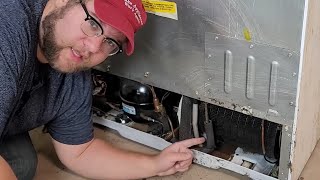
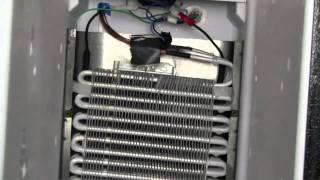
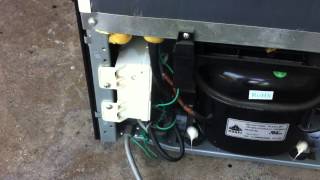
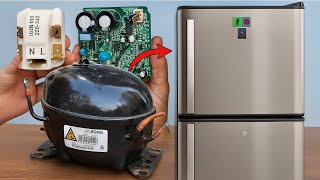

Real DIY Repair Stories
Be the first to share your repair story!
Share Your Repair Story
Your experience helps other homeowners fix their appliances. Tell us how it went!
Can't Fix It Yourself? Find a Local Technician
It's perfectly okay to call a professional. Some repairs require specialized tools, deep teardowns, or dealing with complex systems that are better left to the pros.

Find the Right Part for Your Appliance
Don't guess — search your exact appliance model number at ProsourceParts.com to find the correct OEM compatible replacement part. They offer fast free shipping, guaranteed fit, and thousands of parts in stock.
Your Free Parts Videos
Whether your dishwasher won't drain, your dryer stopped heating, or your fridge isn't cold, we've created simple repair guides for the most common appliance problems homeowners face. Each guide explains what's going wrong, the most likely causes, and which replacement parts fix the issue. When you're ready to order, we link directly to ProsourceParts.com where you can search by model number and get the right part shipped fast.