
Samsung RF260BEAESR/AA Ice Maker Not Working – What Part Fixes This Problem?
Need the replacement part? Search your model number at for guaranteed fit and fast free shipping.
Understanding the Problem
Brief explanation: The ice maker in a Samsung RF260BE-series fridge can stop making ice for several common reasons: no water supply, clogged/old water filter, a failed water inlet valve, a defective ice maker module (motor or fill mechanism), frozen fill tube, or refrigerator/freezer temperature out of range. Below are step-by-step diagnostic and repair instructions you can follow at home. Step-by-step diagnostic and repair instructions: 1) Confirm symptoms and baseline checks - Is the ice maker turned ON? (Some models have an ON/OFF switch or setting in the control panel.) - Are there ice cubes present but small, hollow, or stuck together? That suggests low water fill/temperature issues. - Is the water dispenser working? If no water from dispenser, suspect water supply/filter/valve first. 2) Check freezer temperature - Target freezer temperature: around 0°F (-18°C). If warmer than ~5°F (-15°C) the ice maker may not cycle. Adjust temperature and wait 24 hours. 3) Inspect and replace the water filter - A clogged filter reduces water flow to the ice maker. Replace the cartridge (common Samsung part DA29-00003G) if older than 6 months or if dispenser flow is weak. After replacing, run the water dispenser several times to purge air. 4) Verify water supply and shutoff valve - Locate water shutoff under the sink or behind fridge. Confirm it is fully open and water is present at the source. If possible, disconnect the water line at the inlet valve and verify flow into a bucket. 5) Listen for the water inlet valve during a fill cycle - Put the ice maker into a test cycle (see step 6) or manually trigger a cycle. Listen for a distinct click and water fill into the ice mold. No click -> possible failed valve or no power to valve. 6) Run ice maker diagnostic / test cycle - Many Samsung modules have a test button on the ice maker module or you can run the refrigerator's service diagnostics (refer to your model’s service manual). When in test, the ice maker should cycle: harvest heat / eject (if motor works) and then call for water. - If the motor runs but no water fills, suspect water inlet valve or blocked fill tube. 7) Check the fill tube and inlet for ice blockages - Inspect the small plastic fill tube that carries water to the mold. If frozen, thaw it with a hair dryer (low heat) after removing power and water. Re-test after thawing. 8) Test the water inlet valve electrically - Unplug the refrigerator and shut off water. Remove the access panel to the inlet valve at the back. With a multimeter check coil continuity — a working valve usually shows some continuity (ohm reading varies by valve). More importantly, while in a fill call (diagnostic mode), restore power briefly and measure whether the valve receives voltage (often 120VAC or low voltage per model) — if voltage is present but valve doesn’t open, replace the valve. 9) Inspect the ice maker assembly (motor, gears, and thermostat) - If the ice maker never ejects cubes and doesn’t respond in test mode, the motor/gears or module are likely bad. Remove cover and inspect for broken gears, jammed ejector blades, or water-damaged electronics. Replace the ice maker assembly if any of these are found. 10) Replace suspect parts - Common replacement parts: ice maker assembly (common part DA97-17376A for many Samsung side-by-side and French-door models — confirm with your exact model), water inlet valve (common replacement listed for Samsung side-by-side series), and water filter (DA29-00003G). Replace the part, reconnect water and power, then run diagnostic/fill cycles and discard the first 2–3 ice batches. 11) Final verification - After repair, allow 6–12 hours for the first full batch of ice (some tests will produce a partial batch faster). Confirm proper cube size, no leaks, and that dispensing (if present) works. Safety note: - Always disconnect power at the wall and shut off the water supply before removing panels or disconnecting wiring or water lines. Use eye protection and gloves. When testing live voltage, be careful — if you are not comfortable with electrical diagnostics, hire a certified technician.
Common Symptoms
No ice production, slow/weak ice fill, small or hollow cubes, ice maker not cycling, water leaking or no water to dispenser.
Common Causes
- Clogged or old water filter reducing flow
- Shutoff/house water supply closed or kinked line
- Faulty water inlet valve (won't open on fill call)
- Defective ice maker module (motor, gears, or electronics)
- Frozen/blocked fill tube
- Freezer temperature too warm
Popular Parts That Fix This Problem
These are the most common replacement parts that fix this problem. When you're ready to order, click below to find the right part at ProsourceParts.com — just search by your appliance model number for a guaranteed fit.

Helpful Repair Tip
To quickly confirm whether the ice maker or the water system is at fault: put the ice maker into its test cycle. If the motor runs and ejects old ice but no water fills, the inlet valve or water supply is the likely culprit. If nothing happens during test mode, the ice maker module is likely bad.
Frequently Asked Questions
How do I put my Samsung RF260 ice maker into test mode?
Many Samsung ice makers have a diagnostic/test button on the ice maker module (under the cover) or you can use the fridge’s service diagnostics. Press and hold the module button (or follow your model’s control panel sequence) to force a harvest/eject and fill. If unsure, consult your owner’s manual or the service manual for the exact button sequence for RF260-series models.
How long after replacing the water filter or ice maker will I get ice?
After replacing the water filter or ice maker, you may see a partial fill in the diagnostic cycle quickly, but expect a full tray of ice in 6–12 hours depending on freezer temperature. Discard the first 1–3 ice batches after filter replacement to clear carbon fines and air.
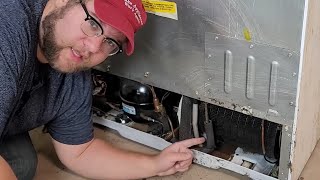
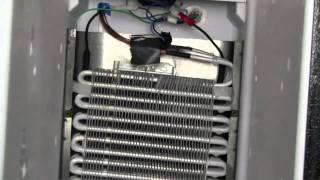
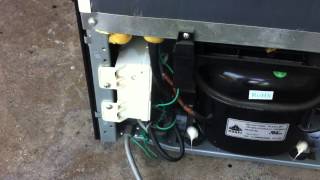
Related How-To Videos

Real DIY Repair Stories
Be the first to share your repair story!
Share Your Repair Story
Your experience helps other homeowners fix their appliances. Tell us how it went!
Can't Fix It Yourself? Find a Local Technician
It's perfectly okay to call a professional. Some repairs require specialized tools, deep teardowns, or dealing with complex systems that are better left to the pros.

Find the Right Part for Your Appliance
Don't guess — search your exact appliance model number at ProsourceParts.com to find the correct OEM compatible replacement part. They offer fast free shipping, guaranteed fit, and thousands of parts in stock.
Your Free Parts Videos
Whether your dishwasher won't drain, your dryer stopped heating, or your fridge isn't cold, we've created simple repair guides for the most common appliance problems homeowners face. Each guide explains what's going wrong, the most likely causes, and which replacement parts fix the issue. When you're ready to order, we link directly to ProsourceParts.com where you can search by model number and get the right part shipped fast.