
Samsung Microwave Control Board DC93-00101N – What Part Fixes This Problem?
Need the replacement part? Search your model number at for guaranteed fit and fast free shipping.
Understanding the Problem
What is DC93-00101N and what it fixes: DC93-00101N is typically used by Samsung as a main control / PCB (the control/display/logic board) for countertop and over-the-range microwaves. It handles the user interface (display/touchpad), timing and control logic, and many interconnections between the keypad, door switches, power circuitry and relays that start the magnetron. If the board fails you can get a blank display, unresponsive buttons, error codes, intermittent operation, or a unit that has power but won’t start heating. Diagnostic and repair steps (numbered): 1) Confirm symptoms and basic checks - Verify the outlet works by plugging in a known-good device. - Check that the microwave’s clock/display is blank, dim, frozen, or that buttons don't respond. - Note any error codes or blinking sequences the microwave shows. 2) Inspect user-accessible items first - Make sure the door is latching fully; stuck or misaligned door switches can mimic a bad control board. - Verify the fuse on the microwave’s plug (if present) or household breaker hasn’t tripped. 3) Unplug the microwave (safety first) - Unplug the unit from the wall. Do not rely on shutting off breakers only. Wait a minute for internal circuits to settle. 4) Open the cabinet to visually inspect the PCB - Remove screws holding the outer cover (usually screws on the back and under the lip). Lift the cover off. - Locate the main control PCB behind the control panel. Look for burnt components, blown capacitors (bulging/leaking), scorch marks, or melted connectors.\n5) Check the door switches and internal fuse(s) - Using a multimeter, check continuity of each door interlock switch when the door is closed. A failed switch will prevent the microwave from running even if the board is OK. - Check the internal thermal fuse(s) and the line fuse(s) for continuity. Replace blown fuses before replacing the PCB. 6) Confirm power to the board - With the unit unplugged and cover off, reconnect power briefly only if you are comfortable and experienced. Measure incoming voltage to the PCB connector (take proper high-voltage precautions). If the board is receiving correct mains voltage but there is no display or no output, the board is likely defective. 7) Look for obvious board damage - Burnt traces, cracked solder joints, or bulged capacitors are strong indicators the control board failed. 8) Replace the control board (how-to) - Order the exact replacement: DC93-00101N (or the exact part number for your model). - Disconnect power and remove cabinet. Take photos or label each multi-pin connector so reassembly is exact. - Remove screws mounting the control board and gently unplug wire harnesses and ribbon cables. - Install the new board, plug harnesses and ribbon cables back in, secure the board, replace the cabinet, plug in and test. 9) Test operation - After reassembly, test display, keypad, and run a short heating cycle with a cup of water to confirm magnetron control. Safety note (must read): Microwaves contain lethal high-voltage components (the capacitor and magnetron). If you are not experienced working on high-voltage appliances, do not attempt to discharge capacitors or probe live circuits. Consider hiring a qualified appliance technician. If you do work on the HV capacitor, always discharge it safely with a proper insulated resistor and appropriate PPE — do not rely on shorting with a screwdriver.
Common Symptoms
Blank or dim display, unresponsive keypad/touchpad, microwave powers but won't start, random resets or error codes, visible burn marks on PCB.
Common Causes
- Failed components on the main control PCB (capacitors, voltage regulator, burned traces)
- Power surge or lightning strike damaging the logic board
- Faulty door interlock switches or blown internal fuse (mimics board failure)
- Moisture or food spills into the control panel causing corrosion
Popular Parts That Fix This Problem
These are the most common replacement parts that fix this problem. When you're ready to order, click below to find the right part at ProsourceParts.com — just search by your appliance model number for a guaranteed fit.

Helpful Repair Tip
Before ordering the board, confirm power gets to the board and the door switches and internal fuses are good. If the display is blank but the interior light works, the control board is the likely culprit.
Frequently Asked Questions
Can I safely replace DC93-00101N myself?
If you are comfortable removing the microwave cabinet, labeling connectors, and working with low-voltage electronics, replacing the control board is a straightforward parts-swap. However, microwaves include a high-voltage capacitor that can store a lethal charge. If you need to discharge or test high-voltage parts, or if you’re unsure, hire a trained appliance technician.
How do I know if the control board is bad vs the keypad or door switches?
Start with simple checks: if the display is completely dead while the interior light works, the control board is likely bad. If the display is present but buttons don’t register, the keypad or ribbon cable might be at fault. If the unit won’t start and shows door-related errors, test door switches for continuity. Replace fuses and test switches before replacing the PCB to avoid unnecessary cost.
Related How-To Videos

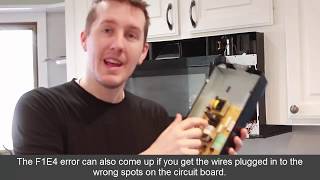

Real DIY Repair Stories
Be the first to share your repair story!
Share Your Repair Story
Your experience helps other homeowners fix their appliances. Tell us how it went!
Can't Fix It Yourself? Find a Local Technician
It's perfectly okay to call a professional. Some repairs require specialized tools, deep teardowns, or dealing with complex systems that are better left to the pros.

Find the Right Part for Your Appliance
Don't guess — search your exact appliance model number at ProsourceParts.com to find the correct OEM compatible replacement part. They offer fast free shipping, guaranteed fit, and thousands of parts in stock.
Your Free Parts Videos
Whether your dishwasher won't drain, your dryer stopped heating, or your fridge isn't cold, we've created simple repair guides for the most common appliance problems homeowners face. Each guide explains what's going wrong, the most likely causes, and which replacement parts fix the issue. When you're ready to order, we link directly to ProsourceParts.com where you can search by model number and get the right part shipped fast.