
Samsung GSS23HMHB/CES — Common Problems, Diagnostics & Fixes
Need the replacement part? Search your model number at for guaranteed fit and fast free shipping.
Understanding the Problem
Brief explanation: The Samsung GSS23HMHB/CES is a side-by-side refrigerator. Common service issues are: fridge or freezer not cooling, ice maker or water dispenser not working, excessive frost/ice buildup in the freezer, noisy fans or compressor, and door sealing problems. Below are step-by-step diagnostics and repair actions organized by symptom groups so you can isolate and fix the problem. 1) First steps (general checks): 1.1) Confirm power: ensure unit is plugged in and the outlet is live. Check for tripped breaker. Reset power by unplugging 5 minutes. 1.2) Check displayed temperature settings on the control panel — set fridge to 37°F / 3°C and freezer to 0°F / -18°C. Wait 24 hours after changes. 1.3) Inspect condenser coils (under or behind fridge) and remove dust with vacuum/brush — dirty coils reduce cooling. 1.4) Check door seals/gaskets for gaps, warping, or food debris; clean and reseat. 2) Fridge or freezer not cooling (or temperature fluctuates): 2.1) Listen for the compressor and fans. Normal: compressor hum + condenser fan and evaporator fan running. If nothing runs, verify power and control board. 2.2) Check condenser fan motor (near compressor). If fan not running and compressor hot, replace condenser fan motor. Diagnostic: with fridge on, visually confirm fan spins; if not, check for 120VAC or motor continuity. 2.3) Check evaporator fan (inside freezer evaporator area). If freezer warms, but compressor runs and condenser fan runs, a dead evaporator fan will prevent cold air circulation. Remove freezer panel to access fan; test for continuity. Replace if noisy or dead. 2.4) Check start relay/overload on compressor. If compressor attempts to start (clicks) but doesn't run, start relay often failed. Unplug and test relay for continuity or substitute known-good relay. 2.5) If compressor runs but freezer builds frost or both compartments warm, inspect evaporator for heavy frost — this indicates defrost system failure (see step 4). 2.6) If all fans run and coils are clean but unit still not cooling, the sealed system (compressor or refrigerant) may be faulty — this requires an appliance refrigeration technician with gauges and licensing. 3) Ice maker and water dispenser problems: 3.1) Basic checks: confirm water supply valve to fridge is fully open and filter is not overdue/installed incorrectly. Replace filter if >6 months or clogged. 3.2) Water dispenser not dispensing or slow: check/replace water filter, inspect water line for kinks, and test water inlet valve solenoids for continuity. If valve does not open under dispense, replace water inlet valve. 3.3) Ice maker not producing: verify ice maker power and switch/arm (if equipped) is on. Press the ice maker test button to cycle (consult model manual). If it won’t fill, check the water inlet valve and frozen fill tube. If it fills but doesn’t harvest, the ice maker assembly or motor/gear may be faulty — replace the ice maker module. 3.4) Fill tube frozen: try defrosting the fill tube with a hair dryer (power off) or perform a manual defrost. If it re-freezes, check water pressure and inlet valve seating; replacement may be required. 4) Frost buildup or constant frosting on evaporator: 4.1) Remove freezer rear panel to access evaporator. Excessive ice over the evaporator means defrost system failure. Test defrost heater for continuity with a multimeter; also test the defrost thermostat/thermistor for continuity when cold. 4.2) Check defrost control and defrost limiter / main control board for timed defrost activation. If heater and thermostat are good but no defrost cycles occur, the control board or defrost control is likely defective. 4.3) Repair: replace the defective defrost heater, thermostat, or control board as diagnosed. After repair, do a manual defrost and monitor for reappearance. 5) Noisy operation: 5.1) Identify noise source: rattles often due to loose panels/items; humming is compressor; higher-pitched whine can be start device; buzzing or grinding often fan motors. 5.2) Run listening tests: with doors open, guard the evaporator fan area (it runs when compressor runs) and then the condenser fan. Replace noisy fan motors or mounts as needed. 6) Door seal and cooling leaks: 6.1) Test seals by closing a dollar bill in the door at multiple spots; if it slides out easily, gasket replacement or door alignment is needed. 6.2) Adjust door alignment or replace gasket to restore proper sealing. 7) Control board and sensors: 7.1) If multiple functions fail (display errors, non-responsive controls, erratic behavior) suspect the main control board. Inspect for burned components and test thermistors/temperature sensors for expected resistance values (consult service chart). How to fix (practical examples): Example A — Replace evaporator fan motor: a) Unplug fridge. Remove freezer shelves and rear evaporator cover. Note screw locations. b) Disconnect fan motor connector and remove mounting screws; swap in new motor and reconnect. Reassemble and power on. Example B — Replace water inlet valve: a) Turn off water supply and unplug fridge. Remove grille/access panel to reach valve at rear bottom. b) Place towels to catch water, remove water lines (expect small amount of water), unplug solenoid connector, remove mounting screws and swap valve. Reconnect lines, turn the water back on, check for leaks and proper dispense. Example C — Test and replace defrost heater: a) Unplug and remove freezer rear panel to access heater. Use a multimeter to check continuity across heater leads. If open, remove and replace heater assembly and any ruined clips or brackets. Parts ordering note: always verify the OEM part number against your exact model and serial number. Many parts are used across multiple Samsung models but part numbers can vary by manufacture date and region. Safety note: Always unplug the refrigerator and turn off the water supply before attempting electrical or water-line repairs. If you must access the sealed refrigeration system (compressor, refrigerant lines), call a certified refrigeration technician — handling refrigerant requires EPA certification and specialized tools.
Common Symptoms
Fridge or freezer not cooling; ice maker won't make ice or won't fill; water dispenser not working or slow; excessive frost on evaporator; loud or unusual noises; warm fridge despite compressor running.
Common Causes
- Dirty condenser coils reducing heat rejection
- Failed evaporator or condenser fan motor
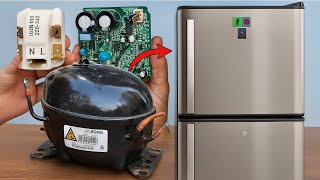
- Faulty compressor start relay/overload or sealed system failure
- Defrost system failure (heater, thermostat or control)
- Clogged water filter, frozen fill tube, or bad water inlet valve
- Worn door gasket or misaligned door allowing air leak
- Faulty main control board or temperature sensors
Popular Parts That Fix This Problem
These are the most common replacement parts that fix this problem. When you're ready to order, click below to find the right part at ProsourceParts.com — just search by your appliance model number for a guaranteed fit.

Helpful Repair Tip
To confirm an evaporator fan failure: with the compressor running, open the freezer door and press the door switch; you should hear or feel air movement. No airflow with a cold compressor usually points to the evaporator fan motor.
Frequently Asked Questions
How can I tell if the compressor is bad or just the start relay?
If the compressor is trying to start (clicking sound) but doesn't run and the unit won't cool, the start relay/overload is a common failure. Remove the relay and test for continuity, or swap with a known-good relay. If the compressor is hot, humming continuously and the relay is good, the compressor or sealed system may be failing; this requires a certified refrigeration tech to diagnose and repair.
Can I replace the water filter and ice maker myself?
Yes — replacing the water filter is a simple user task: locate the filter (usually in the grille or inside refrigerator), depress the release and swap in a new filter, then run and discard a few gallons to purge air. Ice maker replacement is also often DIY-friendly: unplug the fridge, turn off water, remove the ice bin and access the ice maker module, disconnect electrical connector and water line, remove mounting screws and install the new assembly. Always verify part compatibility with your exact model and follow the safety steps in the guide.
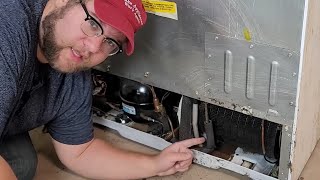
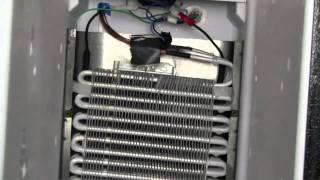
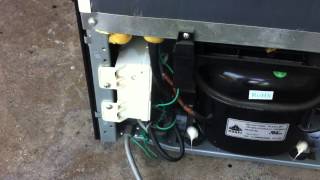
Related How-To Videos

Real DIY Repair Stories
Be the first to share your repair story!
Share Your Repair Story
Your experience helps other homeowners fix their appliances. Tell us how it went!
Can't Fix It Yourself? Find a Local Technician
It's perfectly okay to call a professional. Some repairs require specialized tools, deep teardowns, or dealing with complex systems that are better left to the pros.

Find the Right Part for Your Appliance
Don't guess — search your exact appliance model number at ProsourceParts.com to find the correct OEM compatible replacement part. They offer fast free shipping, guaranteed fit, and thousands of parts in stock.
Your Free Parts Videos
Whether your dishwasher won't drain, your dryer stopped heating, or your fridge isn't cold, we've created simple repair guides for the most common appliance problems homeowners face. Each guide explains what's going wrong, the most likely causes, and which replacement parts fix the issue. When you're ready to order, we link directly to ProsourceParts.com where you can search by model number and get the right part shipped fast.