
Samsung DV45H7000GW/A2 Replacement Parts & Common Repairs – What to Replace and How to Confirm It
Need the replacement part? Search your model number at for guaranteed fit and fast free shipping.
Understanding the Problem
The Samsung DV45H7000GW/A2 is a popular electric dryer that can develop typical faults over its lifetime: not heating, not tumbling, making noise, or failing to start. Many of these symptoms are caused by a handful of replaceable components—thermal fuse, heating element assembly, drum belt, door switch, idler/rollers, motor, or the electronic control board. Before replacing parts, performing simple checks (visual inspection, lint removal, and a few electrical tests) will usually identify the failed component. Because parts and part numbers can vary by manufacturing date and region, always confirm the exact replacement part by matching your dryer’s model and serial number (typically on the dryer door opening or rear panel) to the OEM parts list. This guide lists the most common replacement parts, typical symptoms caused by each, and quick ways to verify the fault so you can make a safe, cost-effective repair decision.
Common Symptoms
Dryer won’t heat but tumbles, dryer tumbles slowly or not at all, loud squealing or thumping, dryer won’t start, error codes on the display.
Common Causes
- Open thermal fuse or failed heating element causing no heat
- Broken drum belt, worn idler pulley, or seized drum roller causing no tumble or loud noise
- Failed door switch, start switch, or main control board causing no power or intermittent operation
Popular Parts That Fix This Problem
These are the most common replacement parts that fix this problem. When you're ready to order, click below to find the right part at ProsourceParts.com — just search by your appliance model number for a guaranteed fit.

Helpful Repair Tip
Run a dryer service diagnostic cycle (refer to the user manual) and use a multimeter to test continuity across the thermal fuse, heating element, and motor windings. If a component shows no continuity or the thermal fuse is open, that part is the likely failure.
Frequently Asked Questions
How do I find the exact part number for my DV45H7000GW/A2?
Locate the model and serial tag (usually inside the door opening or on the rear panel). Use that exact model/serial when searching parts online or contact Samsung support. Many vendors also let you enter the model number to show compatible OEM parts—always confirm compatibility before ordering.
Can I replace these parts myself or should I hire a technician?
Many dryer repairs (belt, thermal fuse, element, door switch, rollers/idler) are DIY-friendly if you’re comfortable unplugging the dryer, removing the front or rear panel, and using a multimeter. Unplug power and follow a step-by-step guide or video for your exact model. If the issue involves the main control board or motor, or if you’re uncomfortable with electrical testing, hiring a qualified appliance technician is safer and recommended.
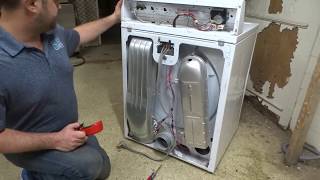
Related How-To Videos

Real DIY Repair Stories
Be the first to share your repair story!
Share Your Repair Story
Your experience helps other homeowners fix their appliances. Tell us how it went!
Can't Fix It Yourself? Find a Local Technician
It's perfectly okay to call a professional. Some repairs require specialized tools, deep teardowns, or dealing with complex systems that are better left to the pros.

Find the Right Part for Your Appliance
Don't guess — search your exact appliance model number at ProsourceParts.com to find the correct OEM compatible replacement part. They offer fast free shipping, guaranteed fit, and thousands of parts in stock.
Your Free Parts Videos
Whether your dishwasher won't drain, your dryer stopped heating, or your fridge isn't cold, we've created simple repair guides for the most common appliance problems homeowners face. Each guide explains what's going wrong, the most likely causes, and which replacement parts fix the issue. When you're ready to order, we link directly to ProsourceParts.com where you can search by model number and get the right part shipped fast.