
Samsung Dryer DVG45R6100C — A3 Error Code: What It Means and How to Fix It
Need the replacement part? Search your model number at for guaranteed fit and fast free shipping.
Understanding the Problem
The A3 error on Samsung dryers (including model DVG45R6100C) indicates a problem with the drive/motor system or the control board’s ability to detect motor rotation. When the dryer can’t confirm the motor is turning at the proper speed (or detects abnormal motor behavior), it will display A3 and usually refuse to run or will stop mid‑cycle to prevent damage. This fault can be triggered by several things: a failed motor or motor tachometer (RPM sensor), wiring/connectors between the motor and main control board, a failed inverter or main PCB, or an airflow/overheat condition that trips thermal protection and prevents the motor from operating normally. Start with simple checks (power cycle, vent airflow) and progress to electrical checks if the basic items look OK.
Common Symptoms
A3 error code on display; dryer will not start or will stop mid‑cycle; drum doesn’t rotate or rotates intermittently; motor hums or makes unusual noise; sometimes reduced/no airflow due to lint blockage; dryer may restart after power cycle but code returns.
Common Causes
- Faulty drive motor or worn motor bearings preventing proper rotation
- Failed motor tachometer (RPM sensor) or damaged wiring/connector between motor and main control board
- Faulty main control board/inverter or a thermal/overheat condition (blocked vent, tripped thermal fuse) causing the system to disable the motor
Popular Parts That Fix This Problem
These are the most common replacement parts that fix this problem. When you're ready to order, click below to find the right part at ProsourceParts.com — just search by your appliance model number for a guaranteed fit.

Helpful Repair Tip
First disconnect power and run a quick vent and drum spin check: remove lint, run the dryer empty (after reconnect) and listen—if you hear a hum but no drum rotation the motor or tach is suspect; if the motor doesn’t hum at all check for blown thermal fuse or PCB communication. Use the service mode/diagnostic test (consult the tech sheet) to confirm a motor/tach fault before replacing parts.
Frequently Asked Questions
Can I clear the A3 code by unplugging the dryer?
Power‑cycling (unplugging for 1–5 minutes) can clear the displayed code temporarily, but if the underlying fault remains (motor/tach, wiring, PCB, or airflow problem) the A3 will usually return. Use a power cycle only as a first troubleshooting step; don’t rely on it as a permanent fix.
Is this a safe repair to do myself?
Basic checks are safe for most DIYers: unplugging power, cleaning the lint filter and vent, and visually inspecting wiring are fine. However, diagnosing and replacing the motor, tachometer, or main control board requires mechanical skill and electrical safety knowledge (and may involve removing panels, handling heavy parts, and testing with a multimeter). If you’re not comfortable with those tasks, contact a qualified appliance technician.
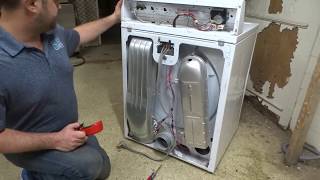
Related How-To Videos

Real DIY Repair Stories
Be the first to share your repair story!
Share Your Repair Story
Your experience helps other homeowners fix their appliances. Tell us how it went!
Can't Fix It Yourself? Find a Local Technician
It's perfectly okay to call a professional. Some repairs require specialized tools, deep teardowns, or dealing with complex systems that are better left to the pros.

Find the Right Part for Your Appliance
Don't guess — search your exact appliance model number at ProsourceParts.com to find the correct OEM compatible replacement part. They offer fast free shipping, guaranteed fit, and thousands of parts in stock.
Your Free Parts Videos
Whether your dishwasher won't drain, your dryer stopped heating, or your fridge isn't cold, we've created simple repair guides for the most common appliance problems homeowners face. Each guide explains what's going wrong, the most likely causes, and which replacement parts fix the issue. When you're ready to order, we link directly to ProsourceParts.com where you can search by model number and get the right part shipped fast.