
Samsung Dryer Control Board DC97-07618A – Diagnose & Fix the Problem
Need the replacement part? Search your model number at for guaranteed fit and fast free shipping.
Understanding the Problem
The DC97-07618A is the main control (PCB) used on many Samsung dryers to manage the console, user inputs, cycle logic, timers and sometimes communications with other modules. When this board fails, the dryer can exhibit a wide range of faults because it controls most of the machine's functions. Failures are commonly caused by electrical surges, overheating, moisture ingress, or component-level damage on the PCB. Symptoms of a bad DC97-07618A include an unresponsive control panel, no display or blinking lights, cycles that won't start or stop, random stopping mid-cycle, or erroneous error codes that don’t match actual component faults. Before replacing the board, you should rule out simpler issues (power, door switch, thermal fuses, and wiring) and visually inspect the board for burnt components, bulging capacitors, or corrosion.
Common Symptoms
No display or lights on the console, dryer won’t start or stops randomly, incorrect or persistent error codes, buttons unresponsive or performing random actions.
Common Causes
- Power surge or voltage spike damaging components on the main PCB
- Heat or repeated overheating of control electronics (failed relays/contacts/voltage regulators)
- Moisture, lint buildup, or physical damage causing shorts or corrosion on the board
Popular Parts That Fix This Problem
These are the most common replacement parts that fix this problem. When you're ready to order, click below to find the right part at ProsourceParts.com — just search by your appliance model number for a guaranteed fit.

Helpful Repair Tip
Before ordering the PCB, unplug the dryer and inspect the board for visible burn marks or blown components; also capture any error codes and test for incoming voltage to the board — if the board is getting correct power but the console stays dead or behaves erratically, the PCB is likely faulty.
Frequently Asked Questions
How can I confirm the DC97-07618A board is the problem?
Start by checking basic items: confirm the dryer has power at the wall, inspect the door switch, thermal fuse, and wiring connections to the control board. Record any error codes shown on the console. With the dryer unplugged and the board exposed, look for visible damage (burns, bulging caps). With the dryer powered on and a multimeter, verify the incoming voltage reaches the board and that the board is providing expected outputs (to door lock, motor, heaters) when commands are given. If power is correct but the board’s outputs don’t change or the console is dead/unresponsive, the board is likely faulty. If you’re not comfortable doing electrical tests, consult a technician.
Can I replace the DC97-07618A myself and is it plug-and-play?
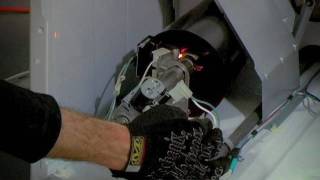
Many DIYers can replace the main control board — it typically involves unplugging the dryer, removing the top or rear panel, disconnecting connectors, and swapping the board. Take photos of wiring before disconnecting to ensure correct reassembly. In most cases replacement boards are plug-and-play and do not require programming, but verify compatibility with your exact model number. If the fault was caused by an underlying issue (short, heater problem, or power surge), fix that first or the new board may fail as well. If unsure, have a qualified appliance technician perform the replacement.
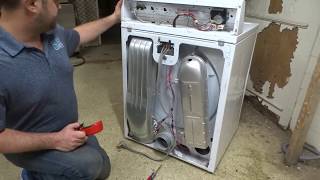
Related How-To Videos


Real DIY Repair Stories
Be the first to share your repair story!
Share Your Repair Story
Your experience helps other homeowners fix their appliances. Tell us how it went!
Can't Fix It Yourself? Find a Local Technician
It's perfectly okay to call a professional. Some repairs require specialized tools, deep teardowns, or dealing with complex systems that are better left to the pros.

Find the Right Part for Your Appliance
Don't guess — search your exact appliance model number at ProsourceParts.com to find the correct OEM compatible replacement part. They offer fast free shipping, guaranteed fit, and thousands of parts in stock.
Your Free Parts Videos
Whether your dishwasher won't drain, your dryer stopped heating, or your fridge isn't cold, we've created simple repair guides for the most common appliance problems homeowners face. Each guide explains what's going wrong, the most likely causes, and which replacement parts fix the issue. When you're ready to order, we link directly to ProsourceParts.com where you can search by model number and get the right part shipped fast.