
Samsung DC93-00634A Control Board — What Part Fixes This Problem?
Need the replacement part? Search your model number at for guaranteed fit and fast free shipping.
Understanding the Problem
What this part is: The DC93-00634A is a printed circuit board (PCB) used as a control/user interface / main logic board in many Samsung countertop and over‑the‑range microwaves. It handles the display, keypad input, timer and relays/signals that command the power and drive systems. When this board fails the microwave may be unresponsive, show no display, have stuck or random commands, or fail to start cooking. Step-by-step diagnostic & repair instructions: 1) Safety first: Unplug the microwave before doing anything. If the microwave was recently powered, let it sit unplugged for several minutes to let capacitors bleed down. If you must access the high-voltage section (magnetron/transformer/capacitor), only do so if you are trained — the HV capacitor can hold lethal charge. 2) Confirm symptom set: Note exactly what's wrong — blank display, no lights, keypad does not respond, continuous beeping, or intermittent/random operation. Take photos of any error codes or LED patterns. 3) Check external basics: Verify outlet has power using another appliance or a multimeter. Check the microwave's power cord for damage. 4) Inspect fuses and thermal devices: Remove the cabinet access panel and visually locate the line fuse(s) and thermal cutouts. Test line fuse for continuity with a multimeter. A blown fuse points to another failure, not always the board. 5) Visual inspection of DC93-00634A: With the cabinet open (and power still off), inspect the control board for burned components, cracked solder joints, bulging or leaking capacitors, scorch marks or a burnt smell. These are strong indicators the board is at fault. 6) Check connectors and wiring: Make sure ribbon cables and wire harness connectors between the keypad, display, door switches, transformer and the board are fully seated and free of corrosion. Loose or broken connectors cause similar symptoms. 7) Isolate the problem: If the display is dead but the fan/magnetron runs, that points to the user interface / display portion of the board. If nothing powers up and the line fuse is good, measure incoming line voltage at the board's power connector (careful) — if no mains is reaching the board, problem is upstream (cord, plug, internal junction). If mains is present and board still does nothing, that points to the board. 8) Swap or substitute (if available): If you have access to a known-good control board from the same model, swapping it will confirm diagnosis. If not, steps below will show replacement. 9) Replacement steps (how to fix): a. Unplug the microwave and move it to a well-lit workspace. b. Remove screws holding the outer cabinet — usually screws on the back and under the sides — and carefully slide off the cabinet to expose electronics. c. Locate the DC93-00634A PCB (usually behind the control panel). Take clear photos of the board and connector locations to guide reassembly. d. Disconnect all connectors and ribbon cables from the old board. Note or label each connector so you reconnect correctly. e. Remove screws or standoffs holding the board and remove it. f. Install the replacement DC93-00634A board, secure with screws, reconnect all harnesses and ribbon cables in the exact same positions. g. Reinstall the cabinet, plug in and test basic functions (display, keypad, start, vent/fan). Confirm microwave runs normally. 10) Post-repair check: Run the microwave for short test cycles with an empty cup of water to ensure the magnetron and control are operating correctly and there are no error conditions. Observe for any odd noises, smells or smoke and stop immediately if any occur. Safety note: Microwaves contain lethal high-voltage components (HV capacitor and transformer) even when unplugged. If you are not comfortable working around HV parts, or if diagnostics point to magnetron/transformer/capacitor issues, hire a qualified appliance technician. Always unplug before touching the control board and discharge the HV capacitor only with appropriate tools and training.
Common Symptoms
Blank or flickering display, keypad/buttons don't work, random or stuck commands, continuous beeping, microwave won’t start despite power, or intermittent operation.
Common Causes
- Failed control/user-interface PCB (DC93-00634A) due to component failure or bad solder joints
- Power surge or lightning strike damaging onboard electronics
- Moisture or condensation causing short circuits on the board
- Loose or corroded connectors or a blown line fuse upstream of the board
Popular Parts That Fix This Problem
These are the most common replacement parts that fix this problem. When you're ready to order, click below to find the right part at ProsourceParts.com — just search by your appliance model number for a guaranteed fit.

Helpful Repair Tip
Before replacing the board, look for burned components, cracked solder joints or bulging capacitors on the DC93‑00634A; those visual signs plus an unresponsive display/keypad strongly confirm a bad control board.
Frequently Asked Questions
Will replacing the DC93-00634A board definitely fix my microwave?
If symptoms are limited to a dead/unresponsive display, unresponsive keypad, or erratic control behavior and you see physical damage on the PCB, replacing DC93-00634A usually fixes the issue. However, if a line fuse is blown, or there is damage upstream (power cord, switch, or HV components), the new board can fail too unless the root cause is addressed. Always inspect fuses, connectors and for signs of surge damage before replacement.
Can I replace the DC93-00634A myself or should I hire a pro?
A mechanically‑skilled homeowner comfortable with basic electronics and using a screwdriver and multimeter can replace the board: unplug, remove cabinet, photograph connectors, swap boards and test. Do NOT attempt work involving the high-voltage capacitor, transformer or magnetron unless trained — those components are dangerous. If you’re at all unsure or the appliance shows signs of HV failure (burned components beyond the control board, blown fuses repeatedly), hire a qualified appliance technician.
Related How-To Videos

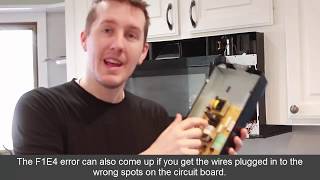

Real DIY Repair Stories
Be the first to share your repair story!
Share Your Repair Story
Your experience helps other homeowners fix their appliances. Tell us how it went!
Can't Fix It Yourself? Find a Local Technician
It's perfectly okay to call a professional. Some repairs require specialized tools, deep teardowns, or dealing with complex systems that are better left to the pros.

Find the Right Part for Your Appliance
Don't guess — search your exact appliance model number at ProsourceParts.com to find the correct OEM compatible replacement part. They offer fast free shipping, guaranteed fit, and thousands of parts in stock.
Your Free Parts Videos
Whether your dishwasher won't drain, your dryer stopped heating, or your fridge isn't cold, we've created simple repair guides for the most common appliance problems homeowners face. Each guide explains what's going wrong, the most likely causes, and which replacement parts fix the issue. When you're ready to order, we link directly to ProsourceParts.com where you can search by model number and get the right part shipped fast.