
Maytag MER7775WW1 — Common Problems and How to Fix Them
Need the replacement part? Search your model number at for guaranteed fit and fast free shipping.
Understanding the Problem
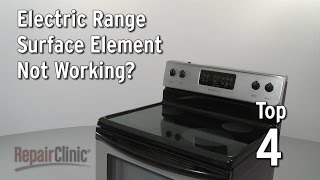
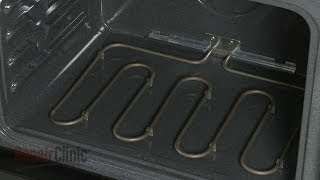
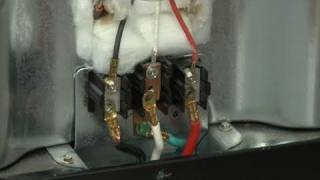
This guide covers the most common failures on the Maytag MER7775WW1 electric range (surface elements, oven/broil elements, temperature sensor, infinite switches and control board) and gives step-by-step diagnostics and repairs. Follow each numbered diagnostic step, then use the associated 'how to fix' instructions. Always disconnect power at the circuit breaker before doing any internal checks or repairs. 1) Range has no power at all - Diagnose: Verify the house breaker(s) for the range are ON. Test outlet/terminal block for voltage: you should see ~240VAC between the two hot legs and ~120VAC between either hot leg and neutral. If you get no voltage, check breakers and fuses. - How to fix: Reset or replace tripped breaker. If breaker trips immediately when switched on, inspect incoming power cable and terminal block for loose/charred connections; tighten or replace damaged wiring and the terminal block. If outlet is faulty, an electrician must repair the circuit. 2) Surface burner/coils not heating or heating weakly - Diagnose: Swap the non-working coil with a known working coil or test coil continuity with a multimeter (coil should show continuity). Inspect the coil plug and receptacle for corrosion, burn marks, or loose connection. If a single coil heats intermittently, check its terminals and the element socket. - How to fix: Replace the bad coil element or replace the damaged receptacle. If the coil tests good but still won’t respond on a specific knob, test the infinite switch for continuity and correct operation; replace the infinite switch if defective. 3) One surface burner control clicks, trips breaker, or has no heat when knob turned - Diagnose: Remove the infinite (surface) switch and test continuity per switch positions with a multimeter. Inspect wiring from the switch to the terminal block. - How to fix: Replace the faulty infinite switch. If wiring or terminal block is damaged, repair or replace those components as well. 4) Oven (bake) won’t heat or broil won’t work - Diagnose: Visually inspect bake and broil elements for breaks, blisters, or burn spots. Test each element for continuity with a multimeter (infinite or open = failed). Test the oven temperature sensor (probe) for proper resistance — many Whirlpool/Maytag sensors read about 1000–1100 ohms at room temperature (verify with your service manual). If elements and sensor check good, the electronic control board/relays may be failing. - How to fix: Replace a failed bake or broil element if open or visibly damaged. Replace the oven temperature sensor if resistance is out of range or intermittent. If elements and sensor are good but the oven still won’t heat, replace the electronic oven control/console or the relay section on the main control board. 5) Oven temperature is inaccurate or baking unevenly - Diagnose: Use a reliable oven thermometer placed in the center of the oven and compare to set temperature. Verify the oven sensor resistance at room temp and at elevated temps if possible. Check that the door gasket seals and hinges are intact. - How to fix: Replace a failing oven temperature sensor. Calibrate the oven temperature if your control allows an offset adjustment. Replace the bake element if it is weak or has hotspots. Repair/replace door gasket or hinges to improve seal. 6) Control pad/touchpad or display is unresponsive or shows errors - Diagnose: Power-cycle the range by switching the breaker OFF for 30–60 seconds, then ON. Look for error codes on the display; consult the service manual for code meanings. Check for stuck keys or spilled liquids under the membrane. - How to fix: If power-cycle doesn’t help, replace the membrane/touchpad or the user interface. If error codes point to the main control board, replace the electronic control assembly. 7) Self-clean door lock stuck or won’t engage - Diagnose: Confirm the oven has completed the cycle or been reset. If the lock motor/mechanism is jammed or the lock sensor is defective, the door will not lock/unlock. - How to fix: Replace the door lock assembly (lock motor/actuator) or lock sensor. If the lock is mechanically jammed, you may be able to manually release it per service instructions, but only after power is disconnected and the oven is cool. Final safety note: Always shut off power at the breaker and verify voltage is absent before touching wiring or components. When in doubt, or if repairs involve replacing the main control board or incoming power wiring, hire a licensed appliance technician or electrician.
Common Symptoms
Range has no power; one or more surface burners won’t heat; oven won’t heat or heats unevenly; broil element not working; control/display unresponsive; door lock stuck during self-clean.
Common Causes
- Tripped breaker, loose/chared terminal block, or lost incoming power
- Failed surface or oven heating element, or faulty infinite switch
- Bad oven temperature sensor or defective electronic control board
Popular Parts That Fix This Problem
These are the most common replacement parts that fix this problem. When you're ready to order, click below to find the right part at ProsourceParts.com — just search by your appliance model number for a guaranteed fit.

Helpful Repair Tip
To confirm a bad bake element, visually inspect for blisters or breaks and then measure continuity with a multimeter; no continuity = replace the bake element. If it has continuity but the oven still won’t heat, test the oven temperature sensor next.
Frequently Asked Questions
How do I reset my Maytag MER7775WW1 range if the display is frozen or shows an error?
Turn off the range at the circuit breaker for 30–60 seconds, then switch it back on. This power-cycle often clears temporary control faults. If an error code remains, write it down and consult the service manual or contact Maytag support — the code helps identify the failed module.
Can I replace a surface or oven element myself?
Yes — replacing a surface coil or an oven element is a common DIY repair. Always disconnect power at the breaker, remove the element mounting screws or release clips, disconnect wiring, and install the replacement. For parts that involve live wiring, the main control board, or if you’re not comfortable testing voltage, hire a qualified technician.
Related How-To Videos

Real DIY Repair Stories
Be the first to share your repair story!
Share Your Repair Story
Your experience helps other homeowners fix their appliances. Tell us how it went!
Can't Fix It Yourself? Find a Local Technician
It's perfectly okay to call a professional. Some repairs require specialized tools, deep teardowns, or dealing with complex systems that are better left to the pros.

Find the Right Part for Your Appliance
Don't guess — search your exact appliance model number at ProsourceParts.com to find the correct OEM compatible replacement part. They offer fast free shipping, guaranteed fit, and thousands of parts in stock.
Your Free Parts Videos
Whether your dishwasher won't drain, your dryer stopped heating, or your fridge isn't cold, we've created simple repair guides for the most common appliance problems homeowners face. Each guide explains what's going wrong, the most likely causes, and which replacement parts fix the issue. When you're ready to order, we link directly to ProsourceParts.com where you can search by model number and get the right part shipped fast.