
LG Washer Stops Mid-Cycle – What Causes This and Which Part Fixes It?
Need the replacement part? Search your model number at for guaranteed fit and fast free shipping.
Understanding the Problem
If your LG washer consistently stops in the middle of a wash, the machine may be detecting a fault or losing power to one of its key systems. This can present as the washer pausing with a lit display, showing an error code, or simply becoming unresponsive while water remains in the drum. Common sources include the door/lid locking mechanism, control electronics, drainage issues, or motor/drive protection triggering a shutdown. Because LG models use electronic controls and safety interlocks, a mid-cycle stop can be caused by electrical or mechanical problems. Intermittent wiring, failed control boards, clogged drains/pumps, or a faulty door latch can all interrupt the wash sequence. Many of these faults produce error codes — checking the display and running a diagnostic mode will often point you to the subsystem that's failing before you replace parts.
Common Symptoms
Washer pauses mid-cycle or becomes unresponsive, error code appears (or no code), water left in drum, cycle won’t advance, intermittent restarts or complete loss of display during a cycle.
Common Causes
- Faulty door/lid lock or door-sensing switch that interrupts operation for safety.
- Failed main control (PCB) or user interface board causing the machine to stop or lose commands.
- Drainage or motor problems (clogged pump, stuck drain, motor overload) that trigger protective shutdown.
Popular Parts That Fix This Problem
These are the most common replacement parts that fix this problem. When you're ready to order, click below to find the right part at ProsourceParts.com — just search by your appliance model number for a guaranteed fit.

Helpful Repair Tip
Run the washer’s built-in diagnostic/self-test (consult your model manual) to capture error codes; also listen during a stalled cycle—no hum from the motor suggests the board or door lock, while a humming/noisy pump suggests drainage or motor overload.
Frequently Asked Questions
Why does my LG washer stop mid-cycle without an error code?
If there's no error code, intermittent electrical issues or a failing safety device are common. Check for loose power connections, a tripped breaker, or a poor connection at the door lock or control board. Also inspect for water remaining in the drum — if the pump or drain is blocked the washer may stop to prevent flooding. Running a diagnostic mode can often reveal stored faults even if nothing shows on the regular display.
Can I fix a mid-cycle stop myself or should I call a technician?
You can perform basic checks yourself: verify the washer is getting steady power, inspect and clean the drain filter and pump area, check the door/lid lock for visible damage, and run the machine’s self-diagnostic mode. For anything involving the main control board, internal wiring, or the motor/inverter, you should call a qualified appliance technician — those parts are model-specific and replacement often requires electrical troubleshooting and calibration.
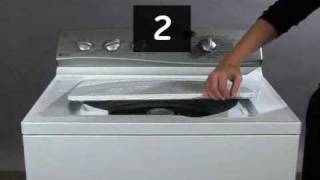
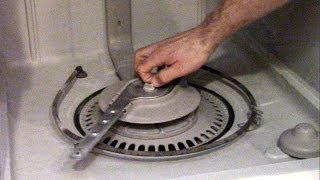
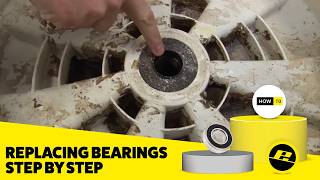
Related How-To Videos

Real DIY Repair Stories
Be the first to share your repair story!
Share Your Repair Story
Your experience helps other homeowners fix their appliances. Tell us how it went!
Can't Fix It Yourself? Find a Local Technician
It's perfectly okay to call a professional. Some repairs require specialized tools, deep teardowns, or dealing with complex systems that are better left to the pros.

Find the Right Part for Your Appliance
Don't guess — search your exact appliance model number at ProsourceParts.com to find the correct OEM compatible replacement part. They offer fast free shipping, guaranteed fit, and thousands of parts in stock.
Your Free Parts Videos
Whether your dishwasher won't drain, your dryer stopped heating, or your fridge isn't cold, we've created simple repair guides for the most common appliance problems homeowners face. Each guide explains what's going wrong, the most likely causes, and which replacement parts fix the issue. When you're ready to order, we link directly to ProsourceParts.com where you can search by model number and get the right part shipped fast.