
LG Washer Shows "St" — Stops Mid-Cycle or Won't Start: What Part Fixes This?
Need the replacement part? Search your model number at for guaranteed fit and fast free shipping.
Understanding the Problem
Many LG washers will display an "St" (or "ST") message when the machine stops unexpectedly, fails to start a spin, or is left in a locked/stalled state. Depending on model, "St" is not a single-component fault code the same way OE or UE are; it typically indicates the washer has detected a stoppage or is in a locked/stalled condition and will not continue the cycle until the underlying cause is cleared. The underlying reasons for an "St" condition are usually either a safety/door-lid interlock issue, a motor/drive problem that prevents the tub from turning, or an electronics/communication fault that leaves the controller unable to continue the cycle. Start with simple resets and checks (power-cycle and door/lid inspection) and then progress to checking drain/drive components and the main control board if needed.
Common Symptoms
Washer stops mid-cycle and displays "St"; door/lid appears locked or won't unlock; no drum movement during spin; machine may be unresponsive to cycle commands or won't drain/spin.
Common Causes
- Faulty or failed door/lid lock or lid switch (washer thinks door is open/locked)
- Drive problem — worn/broken belt, seized bearing, or failed motor/inverter preventing tub rotation
- Control or communication fault — main control board or PCB/inverter error after a power surge or failed component
Popular Parts That Fix This Problem
These are the most common replacement parts that fix this problem. When you're ready to order, click below to find the right part at ProsourceParts.com — just search by your appliance model number for a guaranteed fit.

Helpful Repair Tip
First try a power reset: unplug the washer (or flip the breaker) for 1–2 minutes, then plug it back in and start any quick cycle. If the ST message clears and the washer runs, repeatability points to an intermittent electronics or communication fault; if it persists, inspect the door/lid lock, lid switch (top-load), and drive components next.
Frequently Asked Questions
How do I reset the ST error on my LG washer?
Power-cycle the washer: unplug it or turn off the circuit breaker for 1–2 minutes, then restore power and try a short cycle. Make sure the door/lid is fully closed and latched. If the code returns immediately, run a diagnostic or check the door/lid lock, drain, and drive components.
Can I fix the ST code myself or do I need a technician?
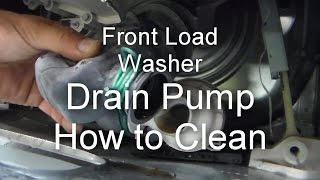
You can perform basic checks and simple fixes yourself: power reset, clear clogs from the drain pump, ensure the door/lid can latch, and inspect the drive belt (on belt-drive models). If the washer still shows ST and the drum doesn’t turn, or if you suspect a failed motor, inverter, or control board, you should call a qualified appliance technician — those replacements require model-specific parts, testing tools, and safety precautions.
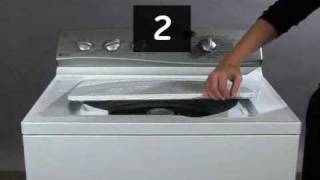
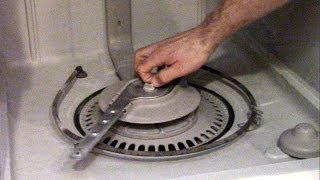
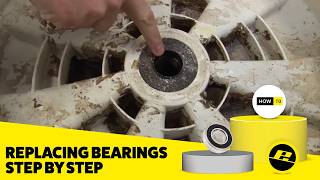
Related How-To Videos

Real DIY Repair Stories
Be the first to share your repair story!
Share Your Repair Story
Your experience helps other homeowners fix their appliances. Tell us how it went!
Can't Fix It Yourself? Find a Local Technician
It's perfectly okay to call a professional. Some repairs require specialized tools, deep teardowns, or dealing with complex systems that are better left to the pros.

Find the Right Part for Your Appliance
Don't guess — search your exact appliance model number at ProsourceParts.com to find the correct OEM compatible replacement part. They offer fast free shipping, guaranteed fit, and thousands of parts in stock.
Your Free Parts Videos
Whether your dishwasher won't drain, your dryer stopped heating, or your fridge isn't cold, we've created simple repair guides for the most common appliance problems homeowners face. Each guide explains what's going wrong, the most likely causes, and which replacement parts fix the issue. When you're ready to order, we link directly to ProsourceParts.com where you can search by model number and get the right part shipped fast.