
KSCS25MVMS00 UI Board — What Part Fixes This Problem?
Need the replacement part? Search your model number at for guaranteed fit and fast free shipping.
Understanding the Problem
Brief explanation: The "UI board" (user interface/control panel or touchpad/display board) is the electronic module mounted on the refrigerator door or console that accepts your inputs and displays temperature and status. On many models it communicates with the main control board to run lights, the dispenser, temperature settings, and error codes. Step‑by‑step diagnostic and repair instructions: 1. Identify the symptom and confirm it's likely the UI board: If the display is blank, lights/buttons on the console are completely unresponsive, the dispenser won't respond to button presses, or the display shows garbled characters while the rest of the fridge (compressor, fans, lights) still runs, the UI board is a prime suspect. If only the dispenser is affected, check dispenser interlocks and wiring first. 2. Power and label: Unplug the refrigerator or flip the circuit breaker OFF. Locate and photograph wiring and connector positions on the back of the control panel so you can reconnect exactly as found. 3. Find the board: The UI board is usually behind the front control panel on the freezer door or inside the top door rail. Remove the screws or clips securing the trim/panel to gain access. For dispenser consoles you may need to open the freezer door and remove the upper hinge shroud or inner door panel. 4. Visual inspection: Look for burned components, cracked solder joints, corrosion from water leaks, or loose connectors. Check the ribbon cable (if present) for damage. If connectors are corroded or pins are bent, that can cause failures. 5. Test power to the board: With the fridge powered ON (only if you are comfortable and safe doing this), carefully measure with a multimeter at the connector to verify the board is receiving the expected DC supply voltage from the main control board (common fridge UI boards use low DC voltages; consult service manual). If the UI board has no power, the issue may be upstream (wiring, harness, or main board). 6. Swap test: If you have an identical spare board or can temporarily swap with a compatible known-good unit, do so to confirm the UI board is the fault. Otherwise proceed to replacement. 7. Order correct replacement: The UI board part number depends on manufacturer and model variant. Check the refrigerator model/serial tag (usually inside the fresh food compartment) and order the exact UI/control panel assembly or board for that model. Many sellers list "UI board", "touchpad/display assembly" or "control panel" for KSCS25MVMS00—confirm compatibility. 8. Replace the board: a. Unplug power. b. Remove trim and unscrew the control panel to expose the board. c. Disconnect all ribbon cables and wiring harnesses—press locking tabs where present. d. Remove the old board and install the new board in the same orientation. e. Reconnect harnesses, reseat ribbons, and reassemble the panel. 9. Power up and test: Restore power and test every function — display, buttons, dispenser, lights, and adjustments. Cycle through temperature settings and check that the board communicates with the rest of the fridge (ice maker, compressor fans continue to function normally). 10. If problems persist: If the new UI board still doesn’t work and other circuits have power, suspect the main control board, a harness fault, or intermittent wiring. Trace continuity in the ribbon/harness and check the main control board for output voltages. Safety note: Always disconnect mains power before removing panels or connectors. If you are not comfortable working with live voltage or electronics, hire a qualified appliance technician. Be cautious of sharp metal edges on door panels.
Common Symptoms
Blank or flickering display, unresponsive buttons or touchpad, incorrect or garbled display characters, dispenser not responding to panel commands, or intermittent functionality of the control panel.
Common Causes
- Failed UI/touchpad electronics (component failure, burned traces, solder joint failure)
- Damaged or corroded ribbon cable or wiring harness between the UI board and the main control board
- Upstream power supply or main control board failure (no power to the UI board)
Popular Parts That Fix This Problem
These are the most common replacement parts that fix this problem. When you're ready to order, click below to find the right part at ProsourceParts.com — just search by your appliance model number for a guaranteed fit.

Helpful Repair Tip
Confirm the UI board is faulty by checking whether the display has no power while the compressor, lights, or fans still run — that usually means the UI board (or its power feed) is bad. A quick swap with a known-good UI board or measuring the board's incoming supply voltage will verify the fault.
Frequently Asked Questions
How can I tell if the UI board is bad or if it's the main control board?
First check whether the UI board is receiving power from the main control board. If the display is completely dead but the compressor and lights still run, that points to the UI board or its immediate power feed. Use a multimeter to verify supply voltage at the UI board connector with the fridge powered (exercise caution). If the UI board gets the right supply voltage but does not function, replace the UI board. If there's no power to the UI board, trace back to the main control board or harness for the fault.
Can I replace only the touchpad portion or do I need the whole UI board assembly?
It depends on the model. On some refrigerators the touchpad (plastic buttons) is separate from the electronic PCB and can be replaced individually. On many modern units the touchpad and display are integrated with the PCB and sold as a single assembly. Check your model's parts diagram — if you see both a touchpad and a separate control board listed, you can replace just the part that failed; otherwise order the full control panel assembly.
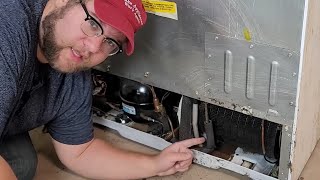
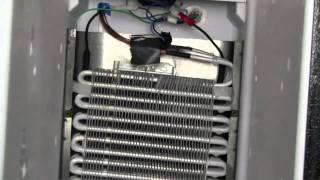
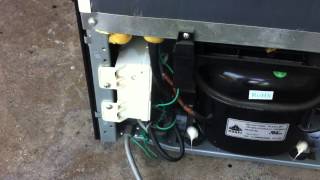
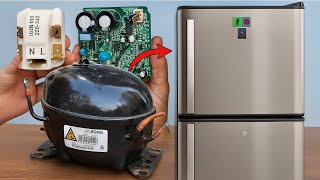
Related How-To Videos



Real DIY Repair Stories
Be the first to share your repair story!
Share Your Repair Story
Your experience helps other homeowners fix their appliances. Tell us how it went!
Can't Fix It Yourself? Find a Local Technician
It's perfectly okay to call a professional. Some repairs require specialized tools, deep teardowns, or dealing with complex systems that are better left to the pros.

Find the Right Part for Your Appliance
Don't guess — search your exact appliance model number at ProsourceParts.com to find the correct OEM compatible replacement part. They offer fast free shipping, guaranteed fit, and thousands of parts in stock.
Your Free Parts Videos
Whether your dishwasher won't drain, your dryer stopped heating, or your fridge isn't cold, we've created simple repair guides for the most common appliance problems homeowners face. Each guide explains what's going wrong, the most likely causes, and which replacement parts fix the issue. When you're ready to order, we link directly to ProsourceParts.com where you can search by model number and get the right part shipped fast.