
HS Code L on Dryer – What Part Fixes This Problem?
Need the replacement part? Search your model number at for guaranteed fit and fast free shipping.
Understanding the Problem
The HS L error on many dryers is a heating-safety or temperature sensor related fault. It usually appears when the dryer detects an abnormal temperature condition (overheat or failed temperature sensing) or when a safety device has tripped to prevent a fire. When the control board receives a signal that temperature is out of expected range or the sensor circuit is open/shorted, it will display an HS-style code to indicate the heating-sensor/heat-safety fault. This problem commonly causes the dryer to run but not heat, to stop mid-cycle, or to run extended cycles with long drying times. Root causes include a failed thermistor/temperature sensor, a blown thermal fuse or high-limit thermostat, a faulty heating element causing irregular temperature, blocked venting that triggers overheating, or wiring/control-board faults. Proper diagnosis requires checking error history, running diagnostics (if the model supports it), and testing components with a multimeter before replacing parts.
Common Symptoms
HS L shows on the display; dryer runs but won’t heat or cuts out; very long drying times; dryer may stop mid-cycle; or dryer may run then trip and show the code again.
Common Causes
- Failed thermistor / temperature sensor (open or out-of-range)
- Blown thermal fuse or tripped high-limit thermostat (safety cut-out)
- Restricted venting/airflow causing overheating or faulty control board/wiring
Popular Parts That Fix This Problem
These are the most common replacement parts that fix this problem. When you're ready to order, click below to find the right part at ProsourceParts.com — just search by your appliance model number for a guaranteed fit.

Helpful Repair Tip
Start by unplugging the dryer, disconnecting the vent and running a manual diagnostic or self-test (consult your model manual). Then check continuity of the thermal fuse and temperature sensor with a multimeter — an open thermal fuse or a sensor out of spec is the most common confirmed cause.
Frequently Asked Questions
How can I tell if the temperature sensor or the thermal fuse is bad?
Unplug the dryer and access the sensor and thermal fuse per your model’s service manual. Use a multimeter set to continuity/ohms: a thermal fuse should show continuity (near 0 ohms) if good; a completely open reading means it’s blown. A thermistor’s resistance should change with temperature — you can compare its cold resistance to the specification in the manual. If the sensor reads open or a value well outside spec, it should be replaced.
Is it safe to keep using the dryer when it shows HS L?
No. HS L indicates a heating or safety-related issue. Continuing to use the dryer risks overheating and potential fire hazard. Stop using the appliance, clear lint and vents, and perform the diagnostic checks or call a technician before running it again.
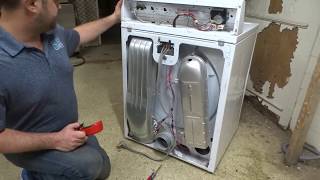
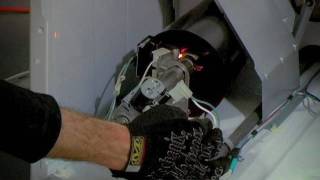
Related How-To Videos


Real DIY Repair Stories
Be the first to share your repair story!
Share Your Repair Story
Your experience helps other homeowners fix their appliances. Tell us how it went!
Can't Fix It Yourself? Find a Local Technician
It's perfectly okay to call a professional. Some repairs require specialized tools, deep teardowns, or dealing with complex systems that are better left to the pros.

Find the Right Part for Your Appliance
Don't guess — search your exact appliance model number at ProsourceParts.com to find the correct OEM compatible replacement part. They offer fast free shipping, guaranteed fit, and thousands of parts in stock.
Your Free Parts Videos
Whether your dishwasher won't drain, your dryer stopped heating, or your fridge isn't cold, we've created simple repair guides for the most common appliance problems homeowners face. Each guide explains what's going wrong, the most likely causes, and which replacement parts fix the issue. When you're ready to order, we link directly to ProsourceParts.com where you can search by model number and get the right part shipped fast.