
GE Washer Won't Drain After Replacing Lid Lock Switch – What Part Fixes This Problem?
Need the replacement part? Search your model number at for guaranteed fit and fast free shipping.
Understanding the Problem
If your GE top-load or front-load washer still won't drain after you've replaced the lid lock switch, the lock was likely not the root cause. The lid lock only prevents the washer from agitating or spinning with the lid open; a non-draining washer most often points to the drain pump, a clogged drain path, the water-level/pressure switch, or the main control board not sending power to the pump. Start with the most common and easiest-to-check items: blockages in the drain hose or the pump impeller, and whether the pump runs when the washer is supposed to be draining. If the pump runs but water stays, look for an internal blockage or collapsed/kinked drain hose. If the pump doesn't run and there’s no humming, the pump itself or the control that powers it (timer/control board, wiring, pressure switch) may be at fault.
Common Symptoms
Washer ends cycle with water still in tub, pump doesn't sound or hum, washer displays error codes (depending on model), slow draining or partial drainage, loud noise from pump or grinding when attempting to drain.
Common Causes
- Clogged or kinked drain hose or blocked pump impeller (coins, lint, small clothing items)
- Failed drain pump motor (electrical failure or seized impeller)
- Control board, timer, or pressure/water-level switch not activating the pump (no power to pump)
Popular Parts That Fix This Problem
These are the most common replacement parts that fix this problem. When you're ready to order, click below to find the right part at ProsourceParts.com — just search by your appliance model number for a guaranteed fit.

Helpful Repair Tip
Run a drain/spin cycle and listen for the pump. If you hear humming but no water moving, the impeller is probably jammed or the pump is clogged. If there's no sound, check for 120V at the pump during drain—if power is present and the pump doesn't run, replace the pump.
Frequently Asked Questions
How can I test the drain pump myself?
Put the washer into a drain/spin cycle and listen: a working pump usually makes a whirring sound. If there's humming but no water leaves, unplug the machine, remove the pump inlet hose and check for debris or a jammed impeller. If the pump makes no sound, use a multimeter to test for continuity at the pump motor. For a definitive electrical test, with the washer powered and in drain mode (use caution), measure for ~120VAC at the pump terminals—if voltage is present and the pump doesn't run, the pump is bad and should be replaced.
Could the control board or pressure switch be the reason it won't drain after changing the lid lock?
Yes. If the drain pump receives no voltage during a drain cycle, the issue may be the main control board/timer or a failed pressure/water-level switch that prevents the washer from entering drain mode. Check for error codes and run the washer's diagnostic mode if available. Inspect wiring and connectors between the control and pump for damage. If wiring is good but no power is delivered, replace the faulty control component identified by model-specific diagnostics.
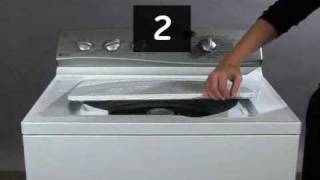
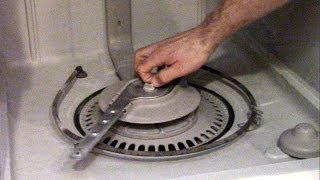
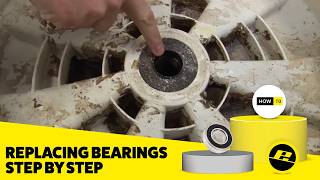
Related How-To Videos
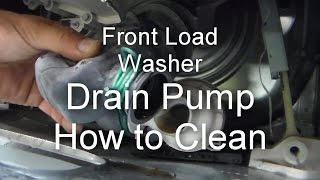

Real DIY Repair Stories
Be the first to share your repair story!
Share Your Repair Story
Your experience helps other homeowners fix their appliances. Tell us how it went!
Can't Fix It Yourself? Find a Local Technician
It's perfectly okay to call a professional. Some repairs require specialized tools, deep teardowns, or dealing with complex systems that are better left to the pros.

Find the Right Part for Your Appliance
Don't guess — search your exact appliance model number at ProsourceParts.com to find the correct OEM compatible replacement part. They offer fast free shipping, guaranteed fit, and thousands of parts in stock.
Your Free Parts Videos
Whether your dishwasher won't drain, your dryer stopped heating, or your fridge isn't cold, we've created simple repair guides for the most common appliance problems homeowners face. Each guide explains what's going wrong, the most likely causes, and which replacement parts fix the issue. When you're ready to order, we link directly to ProsourceParts.com where you can search by model number and get the right part shipped fast.