
GE GFE26GMKBES Refrigerator — Common Problems & What Parts Fix Them
Need the replacement part? Search your model number at for guaranteed fit and fast free shipping.
Understanding the Problem
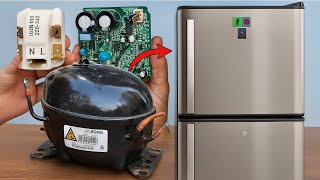
This guide covers the most common repair issues for the GE GFE26GMKBES family refrigerator (cooling failures, ice/water dispenser problems, excessive frost, and unusual noise). Follow the numbered diagnostics below for each symptom, and use the repair steps to replace or test the likely parts. Always disconnect power (and water for dispenser/ice repairs) before opening panels. 1) Refrigerator not cooling (fridge or freezer warm) 1. Verify basic settings: confirm temperature controls are set to recommended values (Fridge 37–40°F / Freezer 0°F) and mode (not Demo mode). 2. Check airflow: remove food blocking vents between freezer and fridge. Ensure damper opens when fridge calls for cold (listen for damper motor noise when closing/reopening door). 3. Clean condenser: unplug unit and pull fridge out; vacuum or brush condenser coils and clean area around condenser fan. Dirty coils reduce cooling capacity. 4. Check fans: - Evaporator fan (in freezer): open freezer, run a quick test by opening the freezer and pressing the door switch to see if the fan runs. If warm in freezer and fan is dead, inspect/replace evaporator fan motor. - Condenser fan (near compressor): with power on and access panel off, verify fan runs when compressor runs. If not, test fan motor for continuity and replace if faulty. 5. Test start components and compressor: - Listen for compressor hum or try the hard-start test (not more than a few seconds): if compressor does not run and you hear clicking, check the compressor start relay/overload on the compressor. Replace relay/overload if faulty. 6. Check defrost system (if freezer frosted over): excess frost on evaporator coils prevents airflow — remove evaporator cover in freezer and inspect for heavy frost/ice. - Test defrost heater for continuity and defrost thermostat/thermistor. If heater or thermostat open, replace. Also check defrost timer or main control board for defrost cycle operation. 7. Sealed system: if compressor runs but temps don’t drop after checking fans, coils and defrost, the sealed system (compressor, evaporator, condenser, or refrigerant) may be leaking or failed — this requires HVAC certified tech for refrigeration repair. 2) Freezer or fridge noisy (buzzing, rattling, motor noise) 1. Identify location of noise: freezer back (evaporator fan), bottom/back (condenser fan or compressor), or dispenser area. 2. Evaporator fan noise: remove evaporator cover and spin fan blade by hand with power on (briefly) — if noisy or intermittent, replace evaporator fan motor/blade. 3. Condenser fan: inspect for debris and worn motor bearings. Replace condenser fan motor if noisy. 4. Ice maker: if noise correlates with ice harvest, the ice maker motor or solenoid can cause thumping — inspect ice maker assembly for broken gears or mounting clips. 3) Ice maker not making ice or slow/partial ice 1. Confirm water supply: check water valve at back and shutoff; ensure water line is open and not kinked. 2. Water inlet valve: if dispenser and inlet valve does not open, water valve may be clogged or failed — test coil resistance; replace if no continuity. 3. Ice maker operation: force an ice harvest/test cycle (consult manual or perform the ice maker test by using the diagnostic/test switch/sequence). If motor does not advance or eject ice, replace ice maker assembly or module. 4. Water filter: a clogged filter will slow fill and produce small or hollow cubes — replace filter if old or restricting flow. 4) Water dispenser not working or leaking 1. Run dispenser and listen: is the solenoid clicking? If not, confirm door switches and dispenser switch operation. 2. Check water inlet valve for power and continuity; if it gets 120V but does not open, replace valve. 3. Check tubing and fittings for leaks and the water filter head for cracks. Replace cracked tubing or filter head. 5) Frost build-up in freezer or fridge 1. Inspect door gaskets for gaps or damage and check door alignment — replace gasket if worn or warped. 2. If gasket is good, inspect defrost heater, defrost thermostat/thermistor, and defrost control (board or timer). A failed defrost system allows frost to accumulate on evaporator. 3. Manually defrost (power off and use towels) to restore function while planning for replacement of defrost heater or thermostat. Basic step-by-step repair example: Replace evaporator fan motor (common DIY task) 1. Unplug refrigerator and remove items from freezer. 2. Remove freezer back panel to expose evaporator and fan (usually screws and plastic clips). 3. Disconnect fan motor harness and remove any mounting screws; note blade orientation for reinstallation. 4. Replace with identical motor assembly; reconnect harness and secure blade and mounting. 5. Reinstall panel, restore power, and verify fan runs and cooling returns. Safety note: Always disconnect power before accessing internal components. When working on water lines, shut off the water supply. Never attempt sealed-system repairs (compressor, brazing, refrigerant) unless you are licensed and equipped; these require certified HVAC/R technicians.
Common Symptoms
Fridge or freezer not cooling; excessive frost on evaporator; noisy operation; ice maker not filling or producing; water dispenser failure or leaking.
Common Causes
- Blocked airflow or faulty evaporator fan
- Dirty condenser coils or failed condenser fan
- Defrost system failure (heater/thermostat/timer)
- Faulty water inlet valve or clogged water filter
- Failed start relay/overload or sealed-system issue
Popular Parts That Fix This Problem
These are the most common replacement parts that fix this problem. When you're ready to order, click below to find the right part at ProsourceParts.com — just search by your appliance model number for a guaranteed fit.

Helpful Repair Tip
To quickly confirm a failed fan or motor, remove the access cover, restore power, and observe whether the fan runs when the compressor is on — fans that don’t spin or run intermittently are the usual culprits.
Frequently Asked Questions
My GE GFE26GMKBES is running but not cooling — should I replace the compressor?
Not immediately. First check temperature settings, clean condenser coils, verify condenser and evaporator fans run, inspect for heavy frost on the evaporator (defrost failure), and test the start relay/overload. Many cooling issues are fan, relay, or defrost related. Only consider sealed-system compressor work if the compressor runs but the system won’t cool and a certified HVAC/R tech has confirmed a refrigerant leak or compressor failure.
How do I confirm the ice maker is bad vs. the water supply?
Start by checking the water filter and the water supply valve (ensure it's open and line not kinked). Run the dispenser to see if water flow is good. If dispenser flow is good but ice maker won’t fill or advance, enter the ice maker test cycle — if the motor doesn’t run or the harvest cycle doesn’t eject ice, the ice maker module or its motor is likely faulty. If the ice maker doesn’t fill but dispenser is weak, the water inlet valve or filter is likely the problem. Always shut off water and power before replacing parts.
Related How-To Videos

Real DIY Repair Stories
Be the first to share your repair story!
Share Your Repair Story
Your experience helps other homeowners fix their appliances. Tell us how it went!
Can't Fix It Yourself? Find a Local Technician
It's perfectly okay to call a professional. Some repairs require specialized tools, deep teardowns, or dealing with complex systems that are better left to the pros.

Find the Right Part for Your Appliance
Don't guess — search your exact appliance model number at ProsourceParts.com to find the correct OEM compatible replacement part. They offer fast free shipping, guaranteed fit, and thousands of parts in stock.
Your Free Parts Videos
Whether your dishwasher won't drain, your dryer stopped heating, or your fridge isn't cold, we've created simple repair guides for the most common appliance problems homeowners face. Each guide explains what's going wrong, the most likely causes, and which replacement parts fix the issue. When you're ready to order, we link directly to ProsourceParts.com where you can search by model number and get the right part shipped fast.